
Automation isn't Here to Steal Jobs
Written By: David Carneal – Digital Efficiency Consulting Group
Read Time: 7 min
Automation has a branding problem. The word walks into a meeting and suddenly everyone imagines a sentient spreadsheet marching around the office with a clipboard and too much confidence.
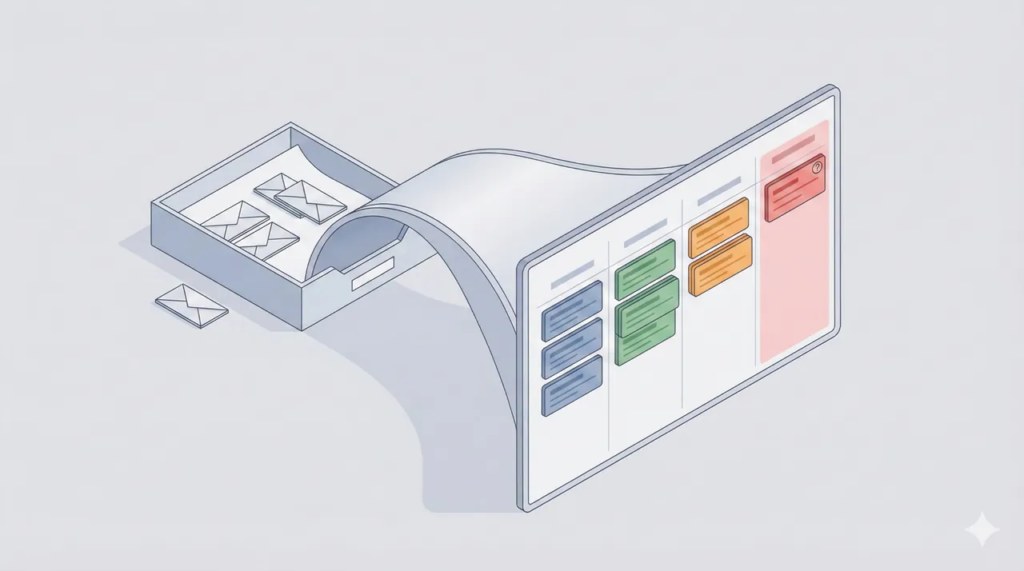
This is not about replacing employees. Automation is a tool to help today, not to rule a department. The point is to remove repetitive, low-judgment tasks so people can focus on the core work that needs judgment, context, and human attention. Will automation lead to some jobs being phased out over time, Yes! But so did automatic Elevators and Digital Phone switches, and the big one no one ever talks about… E-mail. Let’s take a minute to think about that.
Think of it as taking the boring stuff out of work. Not taking the work from people.
What “automation” means in this article
No sci-fi. No “we deployed an AI and it now runs Finance.” Practical automation is usually a combination of four unglamorous moves:
- Routing: send the work to the right owner based on simple rules.
- Standardizing: make requests arrive complete (templates, forms, required fields).
- Validating: catch missing or invalid inputs immediately, not three steps later.
- Queueing exceptions: let edge cases go to humans with context, not chaos.
That’s why the best automation often feels invisible. It doesn’t replace people. It replaces the friction that was wasting their time.
The fear sounds strategic. The pain is usually tactical.
Teams worry about “jobs,” but the daily suffering is more specific: inboxes filled with half-complete requests, approvals stuck in email, reports rebuilt every week from scratch, and status-check messages that exist because no one can see the work without asking three people.
Fix the everyday friction and the conversation changes from anxiety to relief.
A useful boundary: tasks change more often than jobs
Credible research keeps repeating the same idea: many tasks can be automated, but far fewer roles can be fully automated end-to-end. McKinsey has framed this as task-level automation rather than a mass disappearance of jobs. [1]
MIT Sloan research similarly distinguishes “automation” from “augmentation,” where technology boosts human productivity instead of replacing it. [3]
So the practical question becomes: which tasks are wasting human attention, and which parts must stay human?
Busywork is the real thief (it just wears a badge and schedules meetings)
Busywork is work that exists to move work around: retyping the same data, chasing approvals, formatting reports, and serving as the “integration” between tools that refuse to cooperate. It piles up quietly, then suddenly everyone is “busy” and nothing feels done.
When work is tedious, attention drops. When attention drops, errors rise. And when errors rise, rework adds pressure, which fuels burnout. Gallup’s research on burnout points well beyond hours worked and into workload design, unclear communication, and unreasonable time pressure. [4]
Common busywork in office work
- Copy/paste between systems that should share data.
- Approval chains buried in email threads.
- Re-entering details because there is no trusted source of truth.
- Weekly reports rebuilt because definitions change depending on who runs them.
- Status updates that exist only because nobody can see the work.
What automation actually does for everyday office work
Office teams don’t need a grand transformation to feel the difference. They need fewer interruptions, fewer preventable mistakes, and faster access to reliable information.
Keeps inboxes clean
- Requests arrive with required details, so fewer back-and-forth clarification threads.
- Work is routed automatically, so it stops bouncing between “not me” replies.
- Status becomes visible, so people stop asking for updates that already exist.
Makes reporting faster (and less fragile)
- Standard report templates reduce reformatting and re-explaining.
- Consistent definitions reduce the weekly “why did this number change?” debate.
- Automated pulls reduce manual re-entry, which is where spreadsheet gremlins are born.
Reduces errors without turning people into supervisors of bots
The win is not “zero errors forever.” The win is catching the predictable ones early and routing the unusual ones to a person with the right context. That’s why exception queues and audit trails matter. They keep humans responsible while reducing human fatigue.
Composite example: a team that stopped working just to work
This is a composite pattern (not a single company). The details will feel familiar anyway, unfortunately.
Problem
A support operations team spent its day triaging inbox requests, hunting for missing details, and chasing approvals. Reporting took hours because data lived in different places and didn’t match. Errors showed up downstream because manual re-entry was constant.
Identified
They tracked two weeks of signals: status-check email volume, rework counts, and where mistakes clustered. The most frequent tasks required the least judgment. Humans were being used as routers and validators.
Fixed
They implemented small, boring controls:
- Standardized intake (templates that forced required fields).
- Auto-routing (clear owners, predictable rules).
- Validation at entry (catch missing or invalid data immediately).
- Exception queue (unusual cases routed to a person with context).
- Basic status visibility (so the workflow could be seen, not guessed).
Outcome
Interruptions dropped because work arrived more complete. Approvals moved faster because ownership was visible. Errors fell because fewer steps relied on manual re-entry and memory. Employees reclaimed time for the core job: problem-solving, customer communication, and quality checks.
Takeaway
Automation succeeded because it targeted predictable steps and protected judgment work. People stayed responsible, the process stopped demanding constant babysitting.
Humans stay in the loop: the 5 filters for safe automation
Automation fear usually shows up when a team has seen a “solution” make things worse. The antidote is a simple decision screen plus guardrails. If a task fails a filter, it’s not a no. It’s a not yet.
The 5 filters
- Volume: does it happen often enough to matter?
- Rules clarity: can the decision be explained plainly?
- Data quality: are inputs consistent enough to trust?
- Exceptions: are unusual cases easy to spot and route?
- Risk: if it goes wrong, is the impact contained?
Guardrails (the trust builders)
- Approvals for high-risk actions (money, customer impact, compliance).
- Exception queue with a named owner and response expectations.
- Audit trail (what happened, when, why).
- Sampling early (spot-check until confidence is earned).
- Kill switch (pause fast when something looks off).
Eight quick wins that make office life noticeably less annoying
- Route approvals through one workflow with clear owners.
- Standardize request intake so work arrives complete.
- Send automatic status updates at key milestones (fewer “just checking” emails).
- Pre-fill routine documents and recurring summaries.
- Validate fields at entry to stop preventable errors.
- Auto-create follow-up tasks from events (submitted, approved, completed).
- Create an exception bucket so edge cases don’t poison the normal flow.
- Template recurring reports so analysis time goes to insight, not formatting.
Quick wins should be boring, frequent, low-risk, and painfully visible. The first goal is to build trust. Trust is what makes the next improvements possible.
Managers: a 30-day playbook that prevents panic
The future of work is not a single switch flip. It’s a transition. The World Economic Forum frames the coming years as a jobs transition where roles shift as technology adoption grows. [2]
Managers don’t need a 60-page strategy deck. They need a cadence that keeps the rollout transparent, measurable, and calm.
Week 1
- Hold a 30-minute busywork huddle and list the top repetitive tasks.
- Pick one candidate and define it in one sentence.
- Identify the inputs and where they come from.
Week 2
- Score the task using the 5 filters.
- Define guardrails and name the exception owner.
- Choose one metric (cycle time, error rate, touches, backlog).
Week 3
- Pilot with a small group and narrow scope.
- Review exceptions daily for the first week.
- Adjust templates and rules based on real usage.
Week 4
- Scale only after the pilot is stable.
- Reinvest freed time into quality, training, and improvement work.
- Set a monthly workflow review to keep it healthy.
A simple message reduces fear: what’s changing (busywork is being removed), what’s not changing (roles are not being eliminated to make room for the workflow), and how feedback will be handled (openly, during the pilot).
Small-company translation: a 1–2 week starter plan
Smaller organizations don’t need enterprise tooling to get value. They need one workflow that stops wasting human attention.
- Pick one process with high email volume and repeat mistakes.
- Map the happy path on one page: Trigger, Inputs, Rules, Exceptions, Measure.
- Implement minimum viable workflow: intake template, routing rule, validation, exception queue.
- Track one metric for two weeks and review what changed.
The goal is proof, not perfection. One stabilized workflow beats five “almost” workflows living in inboxes.
Footnotes
- McKinsey Global Institute (McKinsey Digital) — “Forging the human–machine alliance.” https://www.mckinsey.com/capabilities/mckinsey-digital/our-insights/tech-forward/forging-the-human-machine-alliance
- World Economic Forum — “The Future of Jobs Report 2023.” https://www.weforum.org/publications/the-future-of-jobs-report-2023/
- MIT Sloan School of Management (Press Release) — “New MIT Sloan Research Suggests AI Is More Likely to Complement, Not Replace Human Workers.” https://mitsloan.mit.edu/press/new-mit-sloan-research-suggests-ai-is-more-likely-to-complement-not-replace-human-workers
- Gallup Workplace — “Employee Burnout: The Biggest Myth.” https://www.gallup.com/workplace/288539/employee-burnout-biggest-myth.aspx
Leave a Reply