
Plan for the next year


Written by: David Carneal – Digital Efficiency Consulting Group – DECG
Read Time: 2 min
Most teams don’t have an execution problem. They have a waiting problem.
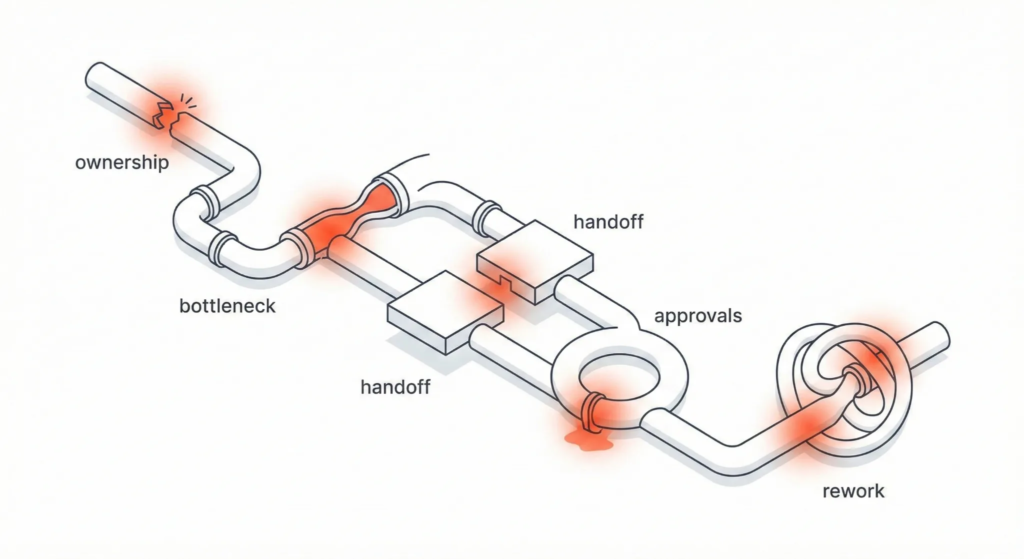
Work piles up behind one team, one person, or one “special process.” Then approvals show up to finish the job: decisions die in inboxes, and “quick sign-off” becomes a two-week vacation.
What a bottleneck leak looks like
- Everything queues behind one step.
- People learn to work around the bottleneck (and create more mess).
- The reason for the bottleneck is usually tradition: “we’ve always done it this way.”
How to find your real bottleneck
Don’t ask who’s “busy.” Ask where work sits.
Look for:
- shared inboxes with “pending” labels
- ticket queues that never hit zero
- one person who reviews everything “for consistency”
- steps that require a special tool or tribal knowledge
The bottleneck is where lead time goes to die.
Approvals: value or anxiety?
Approvals are useful when they prevent real risk. They’re expensive when they exist to reduce someone’s anxiety.
Ask:
- What decisions require approval, and why?
- What risk does this approval actually reduce?
- Could we replace it with a rule (thresholds, templates, guardrails)?
If nobody can explain the rule, approvals are running on vibes.
Two quick wins that usually work
- Approval thresholds
- Approve only what crosses a real threshold (dollars, risk, customer impact).
- Everything else follows a default standard.
- Queue limits (WIP limits)
- Limit how many items can be “in review” at once.
- When the queue hits the limit, upstream work pauses or shifts.
This prevents the silent buildup that turns into “urgent” later.
Make decisions faster with a default path
When a decision stalls, define a default:
- If no response within 48 hours, the default option proceeds.
People will respond faster when silence has consequences.
A mini audit you can run this week
Pick one approval step that regularly slows work. Then:
- list what is being approved
- list who approves
- list the reason
- set one threshold
- set one SLA (response time)
That’s a real process improvement. No banners required.
CTA: Choose one bottleneck step and one approval step. Add an SLA and a default path, then measure decision latency for two weeks. If you want help identifying the biggest queue in your workflow, DECG can run a short working session to surface it fast.
Leave a Reply